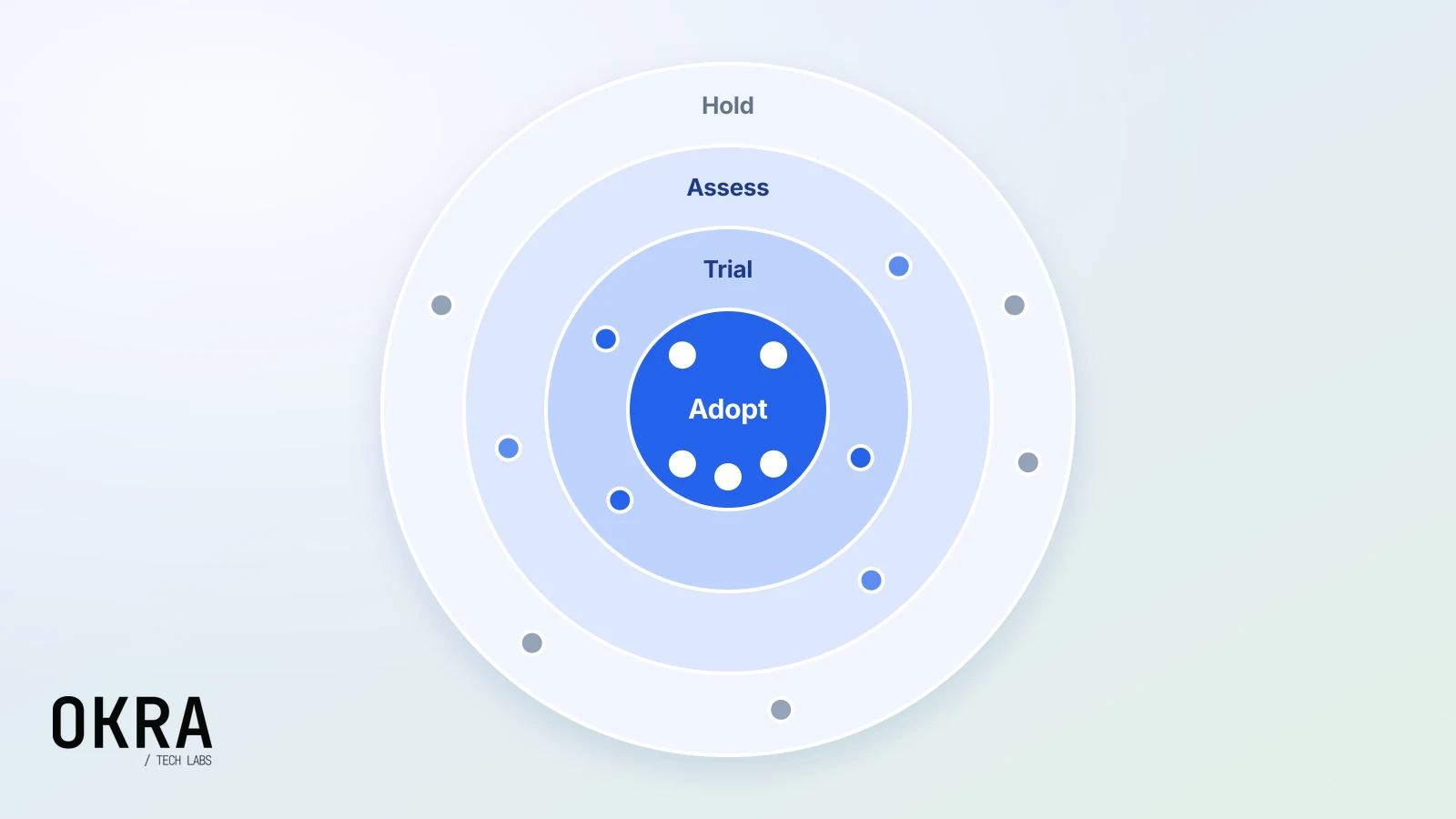
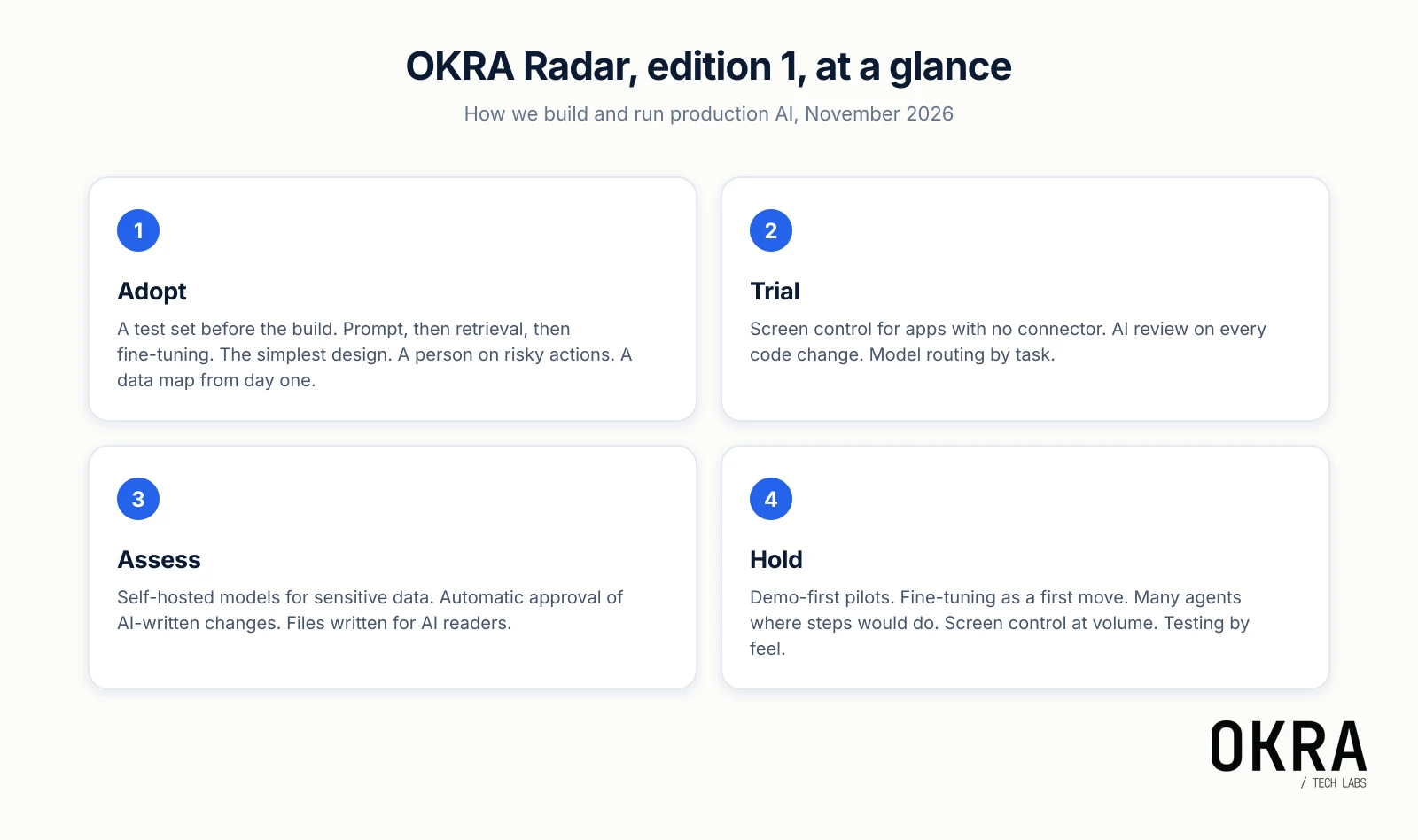
A technology radar sorts tools and habits into four rings: adopt, trial, assess and hold. In this first edition we adopt testing before building, the simplest design that works, and a person in the loop for risky actions. We are trying screen control, AI code review and model routing on low-risk work. We are watching self-hosted models and automatic approvals. We have stopped demo-first pilots, fine-tuning as a first move and agents where fixed steps would do.
A technology radar is a one-page answer to a question every engineering team gets asked: "Should we be using this?" It sorts tools and habits into four rings, from "use it by default" to "do not start anything new with it".
This is the first OKRA Radar. It covers how we build and run production AI systems today: five habits we treat as defaults, three things we are trying, three we are watching, and five we have stopped doing. We will publish it twice a year and say what moved.
What a radar is, and how to read ours
The format comes from Thoughtworks. Its radar began in 2010 as a way to keep the company's technology leaders informed, as Scott Shaw explains in a guide to building an enterprise radar. Neal Ford's earlier article, Build your own technology radar, argues that every company should keep one, because it balances risk against new ideas and gives the people who use a technology a way to tell the people who chose it how it is going.
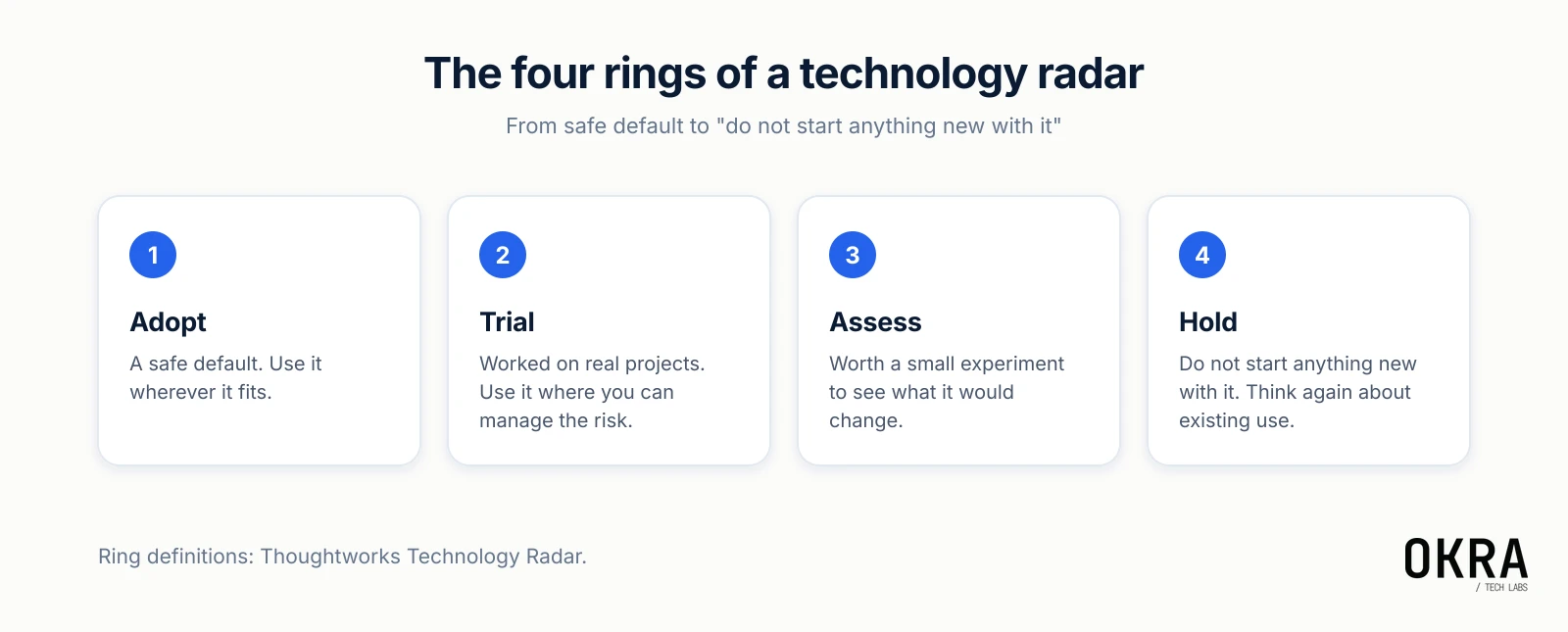
The four rings, as those two articles define them:
- Adopt. A safe default. Use it wherever it fits.
- Trial. It has worked on real projects. Use it where you can manage the risk.
- Assess. Worth a small experiment to understand what it would change for you.
- Hold. Do not start anything new with it. Existing use can stay, but think again.
Two notes on ours. First, it is about habits more than products. Model names change every few months; the way you test and run a system changes far more slowly. Second, it is a view, not a ranking. Something on hold here may be the right choice for a different team with different work.
Adopt: our defaults
1. A test set before the build. We agree what a good answer looks like, collect real cases including the awkward ones, and re-run the whole set after every change. Nothing replaces this. Our guide to testing an AI system before launch explains how.
2. Prompt first, retrieval second, fine-tuning last. Most wrong answers come from missing information, not from a model that needs retraining. We fix the prompt, then give the model the right documents, and fine-tune only when a test set proves the need. See RAG, fine-tuning or a better prompt.
3. The simplest design that does the job. Fixed steps where the steps are known, a chatbot where people need answers, and an agent only where the system must choose its own next step. Our comparison of the three covers the choice.
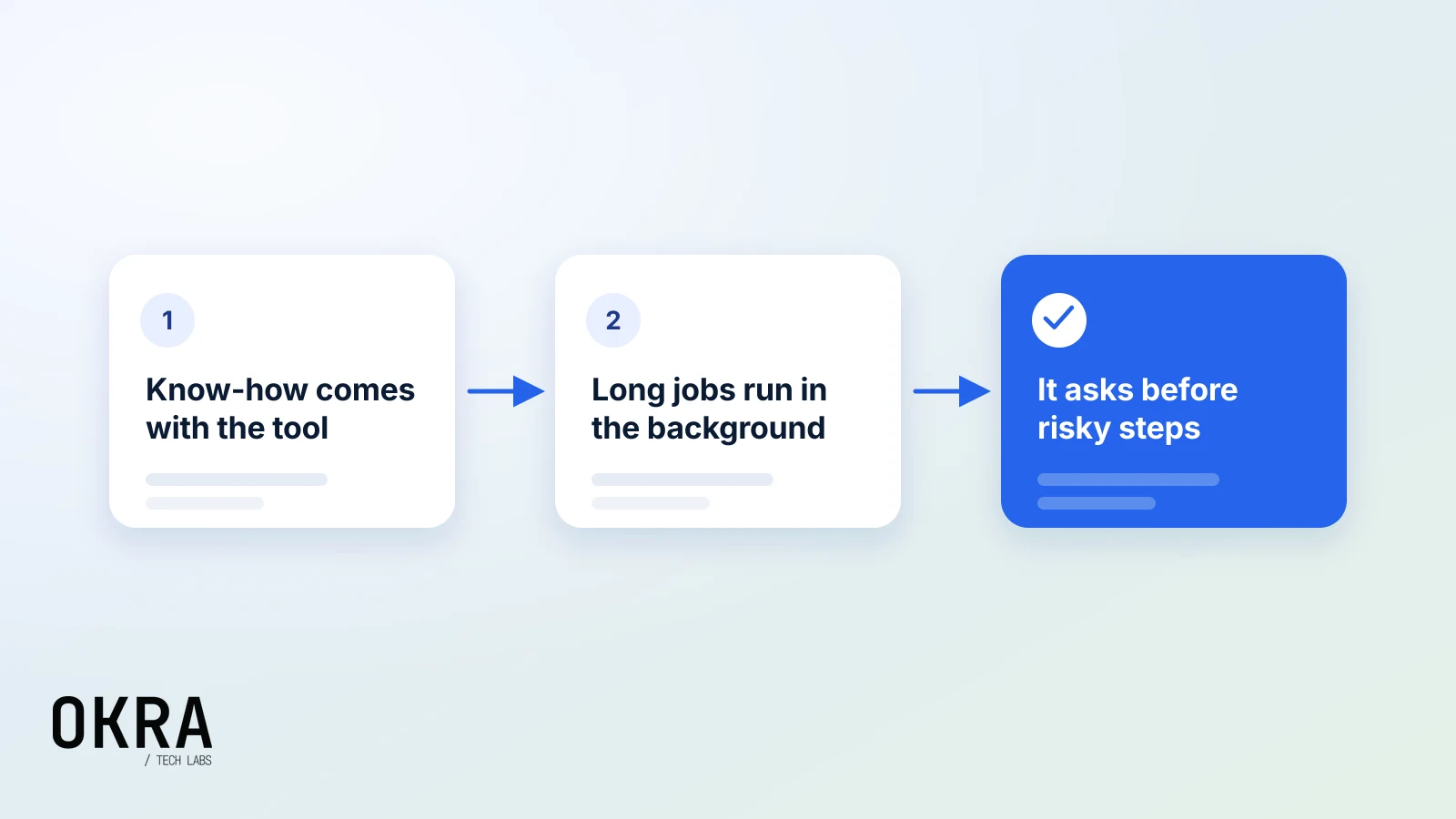
4. A person in the loop for risky actions. Anything that moves money, sends a message to a customer or changes a record gets a human approval step or a clear handover. The model drafts; a person decides.
5. A data map from day one. Where personal data enters, where it is stored, who processes it and how it is deleted. India's data protection rules make this a legal duty, as our post on the DPDP Rules and AI systems explains, and it is far cheaper to draw at the start than to rebuild later.
Trial: in use where the risk is low
1. Screen control for apps with no connector. AI that clicks and types in desktop software reaches tools nothing else can talk to. We use it for occasional, low-risk tasks with someone watching. Our post on Claude computer use for teams lists where to keep it out.
2. AI review on every code change. A first automated review before a person looks catches plain mistakes early and saves reviewer time. This week Anthropic went a step further with a product that reviews, fixes and can approve changes, as TechCrunch reported. The review part sits in our trial ring. The approval part sits one ring out, below.
3. Model routing. The strongest model for hard, high-value work and a cheaper, faster one for everyday volume, chosen per task. Our note on GPT-6.2 Astra describes one such split.
Assess: watching closely
1. Self-hosted models in India for sensitive data. Not required for most companies, but it can make compliance simpler when the data is sensitive. The cost is running the model yourself. Worth a small experiment before a commitment.
2. Automatic approval of AI-written changes. Letting software approve routine changes under written rules is a real shift. We will watch it in observe-only mode, compare its decisions with ours, and only then decide.
3. Files written for AI readers. An llms.txt file is cheap to add, and we have one. Whether it changes how often AI answers cite a page is not yet proven. Our explainer on generative engine optimization sets out what is known.
Hold: what we have stopped doing
1. Demo-first pilots. A pilot with no number to hit and no owner impresses in a meeting and then stalls. We start from one painful process and agree the measure first. More in why AI pilots never reach production.
2. Fine-tuning as the first move. It is slow to change and hard to debug. It comes last, with evidence.
3. Many agents where fixed steps would do. Every extra agent adds cost, delay and new ways to fail. If the steps are known, write them down as steps.
4. Screen control for daily, high-volume work. Clicking through screens is the slow way to run a process that repeats all day. Build a proper connection instead.
5. "We tried a few questions and it looked fine." Checking by feel is not testing. If there is no test set, the system is not ready.
How to build a radar for your own company
You do not need special software. Thoughtworks' advice, from the two articles above, comes down to five steps:
- Pick the audience. Engineers, managers and new joiners should all be able to read it.
- Gather a small group of senior technologists and anyone keen to take part.
- Nominate and vote. Draw four rings on a whiteboard, put each nominee on a sticky note, discuss, and vote on where it sits.
- Write two or three lines for every item. Ford calls the write-ups the most valuable part.
- Review it at least once a year, twice if you can, and record what moved.
If you want the familiar picture, Thoughtworks offers a Build Your Own Radar tool that draws one from a simple spreadsheet. Read its note about public sheets before you put anything private in one.
What comes next
The next edition is due in mid-2027. We expect movement in two places: automatic approvals, once teams have a few months of evidence, and self-hosted models, as the May 2027 data protection deadline gets closer. If something here looks wrong to you, tell us. A radar is only useful if people argue with it.
Questions people ask
What is a technology radar?
It is a short document that sorts tools, techniques and platforms into rings by how ready they are to use. The format was started by Thoughtworks in 2010, and its rings are adopt, trial, assess and hold.
What do adopt, trial, assess and hold mean?
Adopt means a safe default. Trial means it has worked on real projects and is worth using where the risk is manageable. Assess means worth a small experiment to understand it. Hold means do not start anything new with it.
How often will the OKRA Radar be published?
Twice a year. Each edition will say what moved between rings and why, so readers can see how our view changed.
Should my company keep its own radar?
If more than a handful of people choose technology in your company, yes. Thoughtworks recommends a small group of senior technologists, short write-ups for every item, and a review at least once a year.
Sources
- Build your own technology radar (Neal Ford, Thoughtworks, November 2016)
- How to create your enterprise technology radar (Scott Shaw, Thoughtworks, March 2024)
- Build Your Own Radar tool (Thoughtworks)
- Anthropic launches Claude Ship, letting AI agents review, fix, and approve code changes (TechCrunch, 23 November 2026)