On 24 November 2026 Google made its Workspace MCP servers and Workspace CLI generally available. They are the official way for AI agents to work in Gmail, Drive, Docs, Sheets, Slides, Calendar, Chat and Tasks, with admin controls, confirmation rules and audit logs. Test it first on one low-risk job, and note two dates: from 1 February 2027 AI agents must use these connectors instead of calling Workspace REST APIs directly, and from 1 April 2027 billing starts for projects that choose the higher Scaled tier.
On 24 November, Google made two things generally available: its Workspace MCP servers and the official Workspace command-line tool. Google's announcement presents them as the supported way for AI agents to work inside Gmail, Drive, Calendar and the rest of Workspace, with rules that an administrator sets.
If your company runs on Google Workspace, this matters for two reasons. It makes useful assistants easier to build on the mail, files and calendars you already have. And it comes with two dates that may affect tools you already use. Here is what launched, five uses worth testing, and what to check first.
What launched
A short piece of background. MCP, the Model Context Protocol, is an open standard that lets an AI assistant use outside software. A connector (an "MCP server") links the assistant to one tool. We covered a related change to these connectors in our post on Skills over MCP and Tasks in Claude.
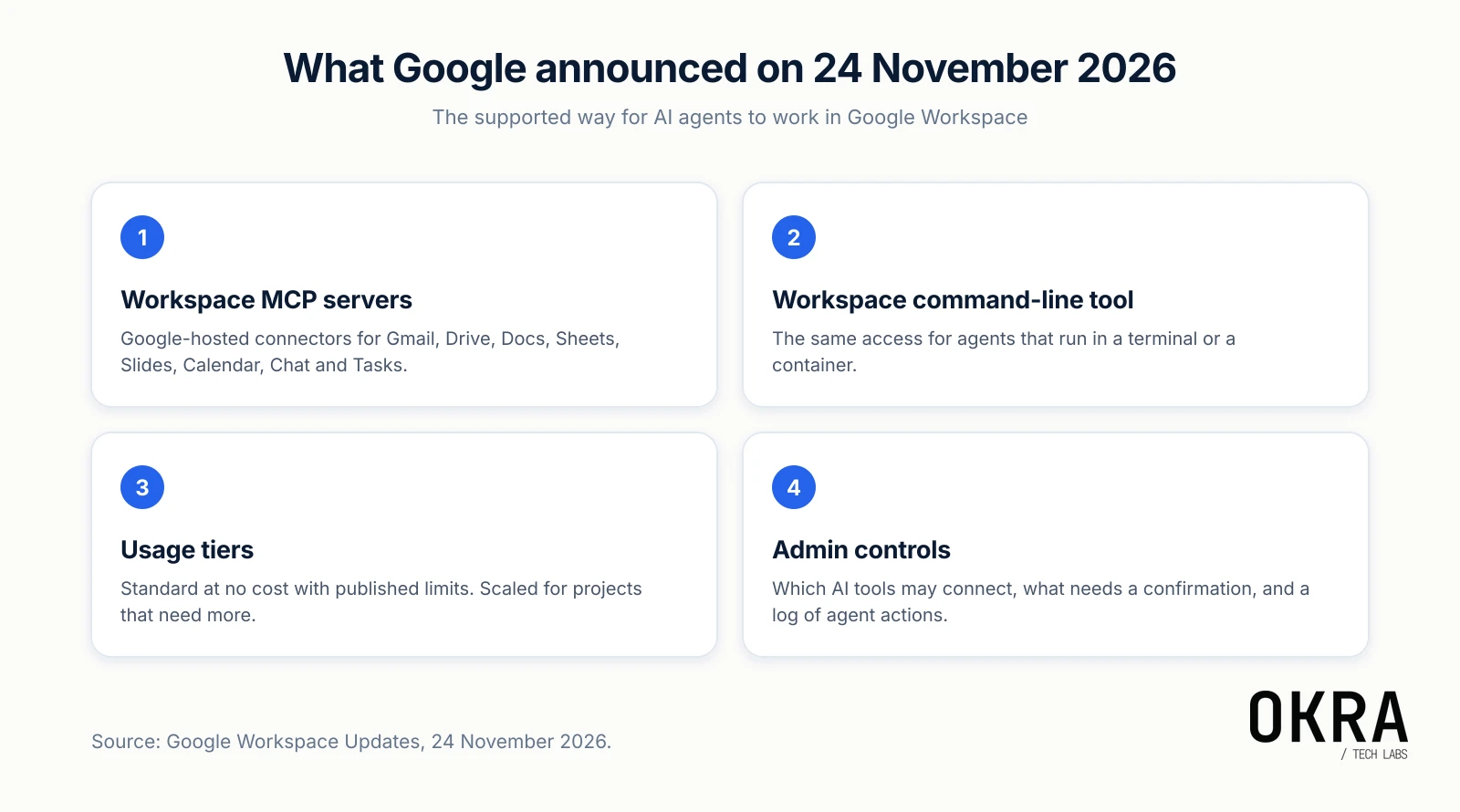
Google's post describes four parts:
- Workspace MCP servers. Connectors hosted and maintained by Google. They give an agent ready-made tools across Gmail, Drive, Docs, Sheets, Slides, Calendar, Chat and Tasks. Keep is listed as coming soon.
- The Workspace command-line tool. The same access for agents that run in a terminal, a virtual machine or a container. This is mainly for developers.
- Usage tiers. A Standard tier at no cost with published limits, and a Scaled tier for projects that need more.
- Admin controls. Settings for which AI tools may connect, which actions need a person to confirm, and a log of what agents did.
Google says the tools hand back short summaries instead of raw data, which it says lowers cost and waiting time for the AI model. It also says the service is available to all Workspace customers and developers, and reaches Rapid Release and Scheduled Release domains within about two weeks.
For a sense of the actions on offer, Chrome Geek's report, which draws on Google's developer guides, lists reading and searching mail and creating drafts and replies, searching and creating Drive files, editing Docs and Slides, reading and writing Sheets ranges, finding meeting times and creating Calendar events, and managing Tasks. We have not tested each action ourselves, so check the guides for the tool you plan to use.
Two dates to put in your calendar
1 February 2027. Google says AI agents and similar tools must reach Workspace data through MCP, not by calling the Workspace REST APIs directly, and that technical enforcement begins on this date, as set out in its announcement. If you use an AI product that reads your company's mail, files or calendar, or your team built one, ask how it connects today and when it will be moved.
1 April 2027. Billing starts for projects that choose the Scaled tier, for the Gmail, Calendar and Drive APIs and the MCP servers. Google says over 99% of active developers are within the Standard tier, and that a project that does nothing returns to Standard limits instead of being charged. A project used only inside your organisation can be marked internal by an admin, so its higher limits stay part of your Workspace subscription. The post gives no prices or limit figures. A new usage dashboard shows where each project stands.
Five business uses worth testing first
1. A morning brief from mail and calendar
An agent reads today's meetings, finds the related mail threads and files, and writes a one-page brief for each meeting.
Example (illustrative): a sales head opens the day with a summary of each client call: the last three mails, the open proposal in Drive, and what was promised.
Keep a person on: anything the brief states as fact before it is repeated to a client.
2. Reply drafts that wait for a human
Creating a draft is the kind of routine action Google says stays seamless. That makes "prepare, do not send" a sensible first pattern: the agent drafts replies to common requests and a person reads and sends them.
Keep a person on: every send. Drafts cost nothing if they are wrong; sent mail does.
3. Meeting scheduling across several people
Finding a slot for five people is slow work. An agent with Calendar tools can suggest times, create the event and attach the right file from Drive.
Keep a person on: invitations that go outside the company.
4. A weekly report built from a Sheet
Many teams keep their real numbers in Sheets. An agent can read a set range every Friday, write a short summary in a Doc, and add follow-up items to Tasks.
Example (illustrative): an operations manager gets a Friday note listing orders that are late, taken from the team's tracking sheet.
Keep a person on: checking the summary against the sheet for the first few weeks.
5. Finding the right file
"Where is the latest version of that agreement?" is asked daily in most offices. Search across mail, Drive and Chat through one assistant is a low-risk first use, because it only reads.
What to check before you turn it on
Who can connect what. Google places the controls in the Admin console under Security, then API Controls. Decide which external AI tools are allowed before people start connecting their own.
Which actions need a confirmation. Admins can require users to confirm sensitive actions in third-party AI tools, such as reading external files or sharing data. Set these rules early, and read our note on the same idea in how to test an AI system before launch.
Whether the audit log is being read. A log nobody opens protects nothing. Name one person who reviews agent activity each week during the trial.
What data is involved. An agent that reads staff mailboxes is handling personal data. Google says existing data loss prevention rules for a user apply when that user works through an agent, and that new terms for AI tools prohibit scraping and long-term storage of certain data. For Indian companies there is a legal side too; see our post on the DPDP Rules and AI systems.
What Google has not said. The announcement does not state which controls are on by default, or give limit figures. Check your own Admin console instead of assuming.
A rollout list
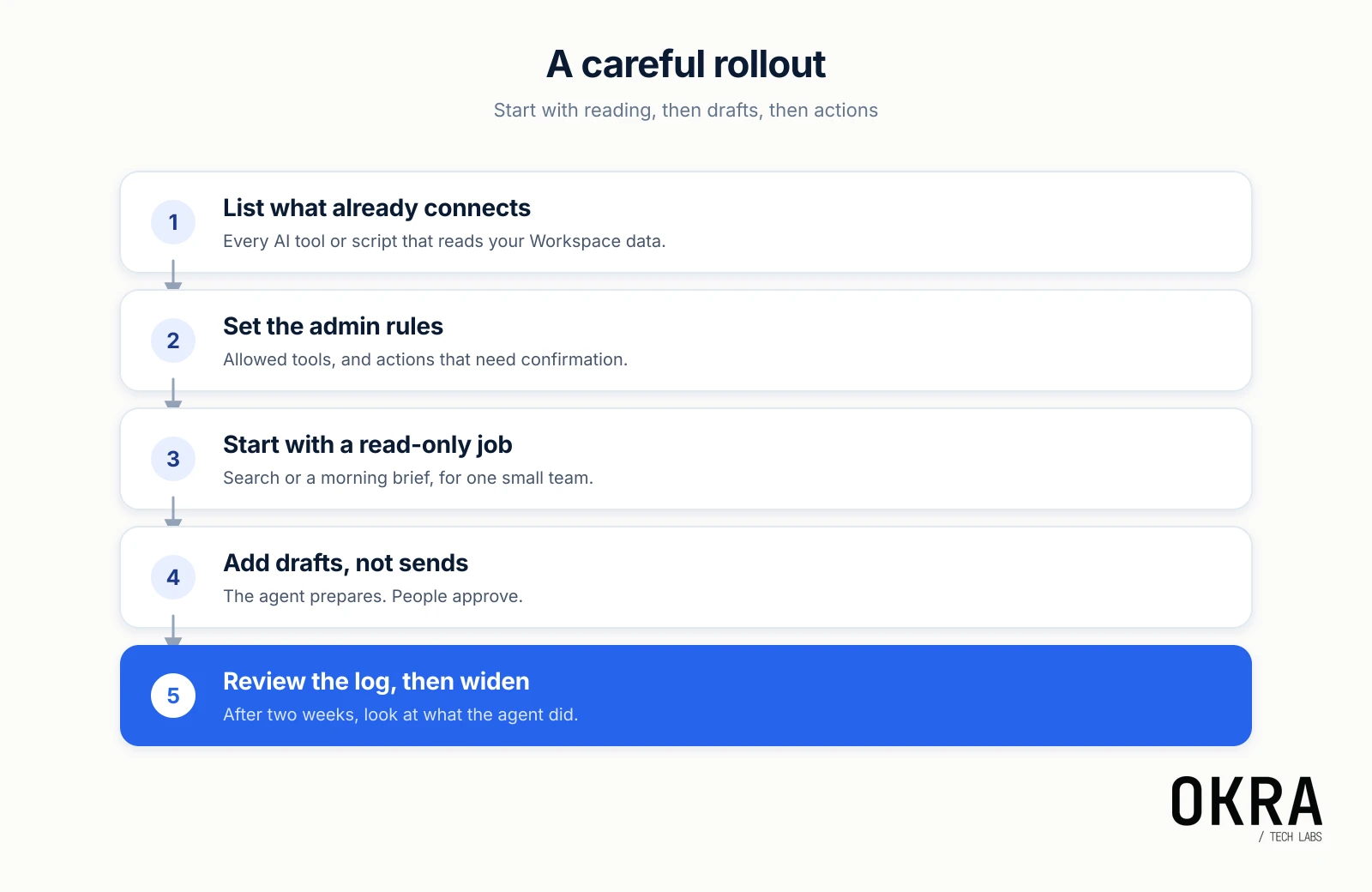
- List what already connects. Every AI tool or script that reads your Workspace data, and how.
- Set the admin rules. Allowed tools, and the actions that need confirmation.
- Start with a read-only job. Search or a morning brief, for one small team.
- Add drafts, not sends. Let the agent prepare; let people approve.
- Review the log, then widen. After two weeks, look at what the agent did and decide what comes next.
If you are building your own AI system
For a team building an agent on company mail and files, the official connectors change the plan. Access goes through one managed route, the admin's rules apply to it, and each action is logged. That is less custom code to maintain and an easier security review.
The design questions stay the same: which jobs the agent does, what it may do without asking, and how you will know it is right. Our guide to agents, chatbots and workflow automation covers the first, and our post on why AI pilots never reach production covers what tends to go wrong after the demo.
Questions people ask
What are Google Workspace MCP servers?
They are connectors hosted by Google, built on the open Model Context Protocol. An AI agent uses them to work in Gmail, Drive, Docs, Sheets, Slides, Calendar, Chat and Tasks through ready-made tools. Google made them generally available on 24 November 2026, together with a command-line tool for agents that run in a terminal.
Do we have to pay for this?
Google describes two usage tiers. The Standard tier has no cost and has published usage limits; Google says most active developers are within it. The Scaled tier gives higher limits, and from 1 April 2027 projects that choose it pay for usage above daily allowances. Google's post gives no prices or limit figures, so check your own project's usage dashboard.
What changes on 1 February 2027?
Google says AI agents and similar tools must reach Workspace data through MCP instead of calling Workspace REST APIs directly, and that technical enforcement starts on 1 February 2027. If a vendor or your own team has built an agent that reads your mail, files or calendar the older way, ask now how it will be moved.
What can a Workspace admin control?
According to Google, admins can manage which external AI tools, MCP servers and command-line access are allowed, require users to confirm sensitive actions, and view audit logs of what agents did and what users confirmed. Existing data loss prevention rules for a user also apply when that user works through an agent.