On 24 November 2026 Anthropic began rolling out a beta that lets people install a Claude artifact as a Mac or Windows app with its own icon and window. The app can use Claude and the user's connectors, and updates when the artifact is edited. Test it first on small internal tools such as a meeting-prep page or a daily tracker, keep each app at the lowest permission level that works, and treat full computer access as something only a few trusted, in-house apps should get.
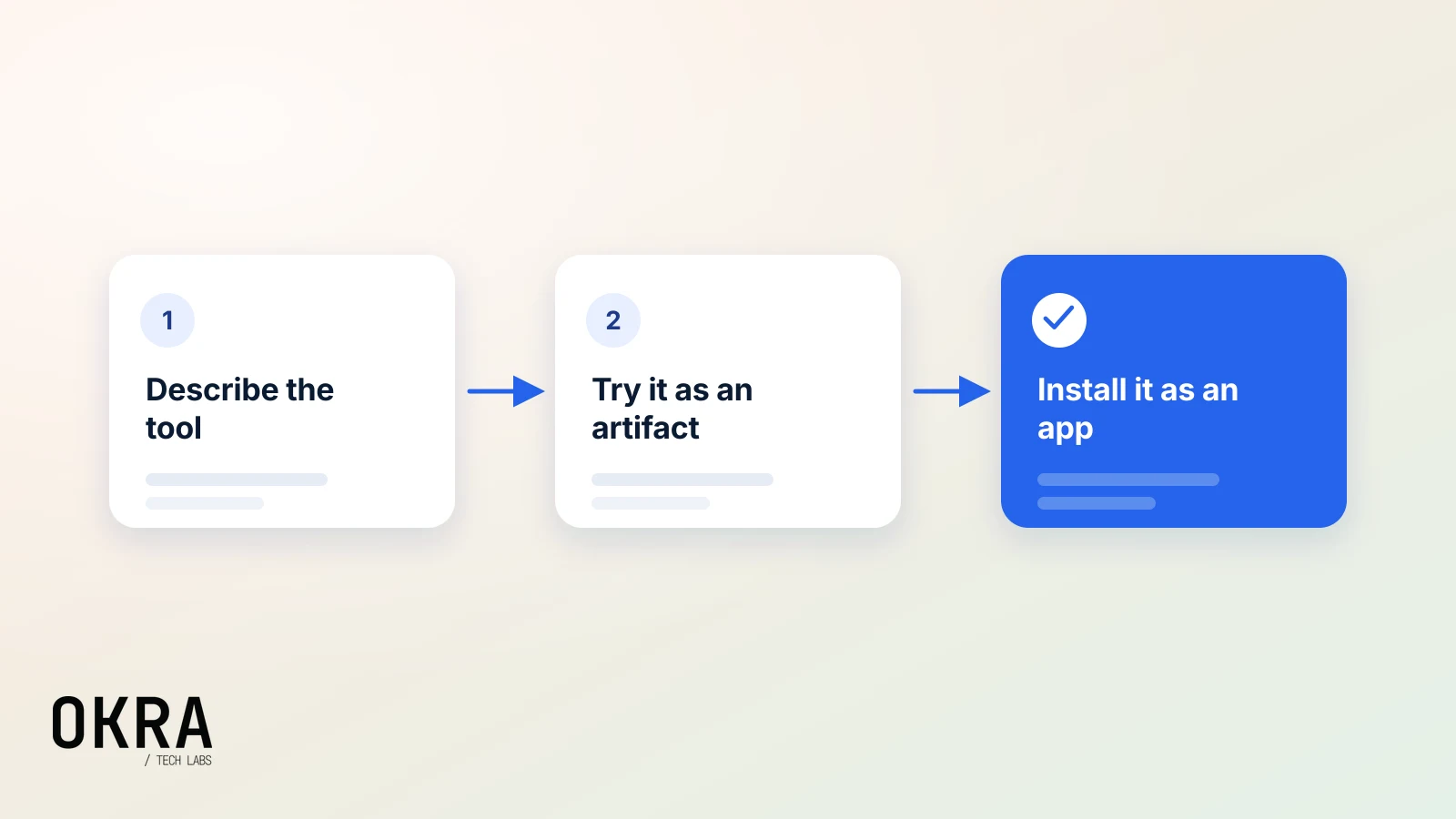
On 24 November, Anthropic began rolling out a feature called Install as app. Its announcement says a tool that Claude built for you in a conversation, called an artifact, can now be installed on a Mac or Windows computer with its own icon and its own window.
For a business, this narrows the gap between "we asked AI for a small tool" and "the team uses that tool every day". It also brings a new question: what should a tool written by AI be allowed to do on a work computer? Here is what launched, five uses worth testing, and what to check first.
What launched
An artifact started as a piece of output you could share, such as a chart or a web page. Anthropic says people now use artifacts as everyday tools, and gives the examples of a meeting-prep page that pulls from calendar and email, and a tracker for the day's orders.
According to the announcement, the new feature works like this:
- Install from the Share menu. Update Claude for Mac or Windows, open an artifact you use often, and choose Install as app. Anthropic says there is no packaging, code signing, API key or separate login, because the app uses your Claude account.
- It can still use Claude and your connectors. So an installed tool can summarise, classify or draft, and can reach the business software your Claude account is connected to. Those requests count toward your plan's usage limits.
- It updates when the artifact is edited. You change the tool by asking Claude, and the installed app follows.
- It needs you online. You must be connected and signed in to Claude to open an app.
The three permission levels
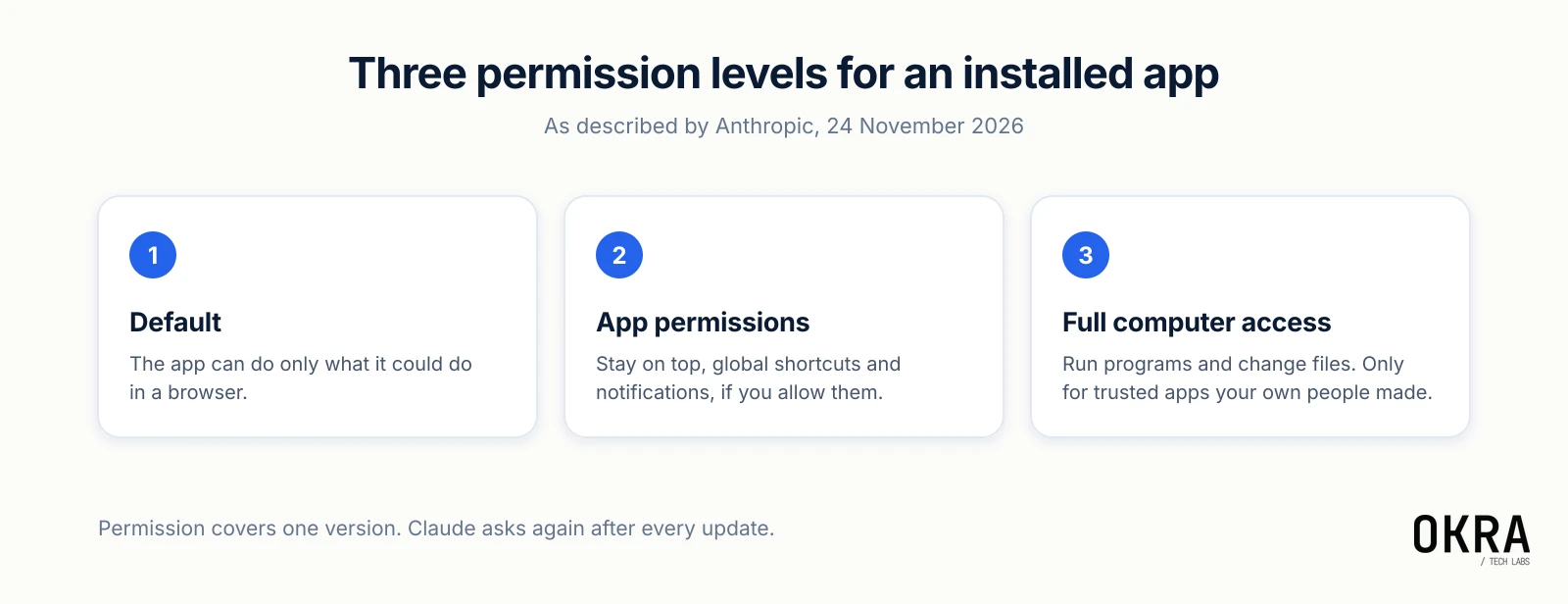
This is the part to read twice. Anthropic describes three levels:
- Default. The app can do only what it could do in a browser.
- App permissions. The app can ask for a few features that Claude controls tightly, such as staying on top of other windows, global keyboard shortcuts and notifications.
- Full computer access. The app can ask to run programs and to read, change or delete files without asking each time.
Full access can be granted only to apps you made yourself or, on Team and Enterprise plans, apps made by people in your organisation. Your permission covers one version of the app, so Claude asks again after every update, including your own edits.
Who gets it
Anthropic says the beta is rolling out on all plans. On Team plans it is on by default with full access off. On Enterprise plans it is off until an owner turns it on. Admins on both can switch app permissions and full access on or off for the organisation. HIPAA-ready organisations and hybrid deployments cannot use it. Reporting by The Next Web adds that it is not offered on Linux, the web or mobile.
Five business uses worth testing first
1. A meeting-prep page
This is Anthropic's own example. The app reads today's calendar and related mail through your connectors and shows a short brief for each meeting.
Keep a person on: anything the brief claims about a customer before it is said aloud in the meeting.
2. A daily tracker for one team
Anthropic's second example is a tracker for the day's shipments. The same pattern suits follow-ups due today, open support requests or site visits booked for the week.
Example (illustrative): a dispatch team opens one small window each morning that lists orders due out today and marks the late ones.
Keep a person on: the source data. A tracker is only as right as the system it reads from.
3. A small calculator that replaces a fragile spreadsheet
Many companies run on one spreadsheet that only one person understands: a quotation sheet, a commission sheet, a costing sheet. A small app with fixed inputs and one clear output is harder to break by accident.
Keep a person on: testing it against the old spreadsheet with past cases before anyone trusts the new numbers.
4. A sorter for incoming requests
Because the app can call Claude, it can read a pasted message and suggest a category, a priority and a draft reply. This suits shared inboxes where the same types of request arrive every day.
Keep a person on: the reply. Let the app draft and a person send.
5. A quick prototype before you commission real software
Before paying for a full build, describe the tool, install it and let three people use it for a week. You learn what they need, and the brief you hand to a development team gets much sharper. Our post on why AI pilots never reach production explains why this step saves money later.
What to check before you turn it on
Nobody reviews these apps for you. Anthropic says it does not review apps before they are installed, and that full access should go only to apps you trust. Treat an installed app like any other software: know who wrote it and what it touches.
Updates ask again, with one gap. Permission covers one version. But the announcement notes that if part of an app is loaded from another website, that part can change without a new prompt. Prefer tools that do not pull code from elsewhere.
Connectors mean real data. An app that reads mail or customer records through a connector is handling personal data. For Indian companies this has a legal side; see our post on the DPDP Rules and AI systems. If your organisation has special data-retention terms with Anthropic, ask how they apply to installed apps before using them with sensitive data.
It is a beta. Behaviour can change, and not every account has it yet. Do not put a tool the business cannot work without on a beta feature.
Usage counts. Requests the app makes to Claude count toward plan limits. An app that calls Claude on every click will use them up quickly.
A rollout list
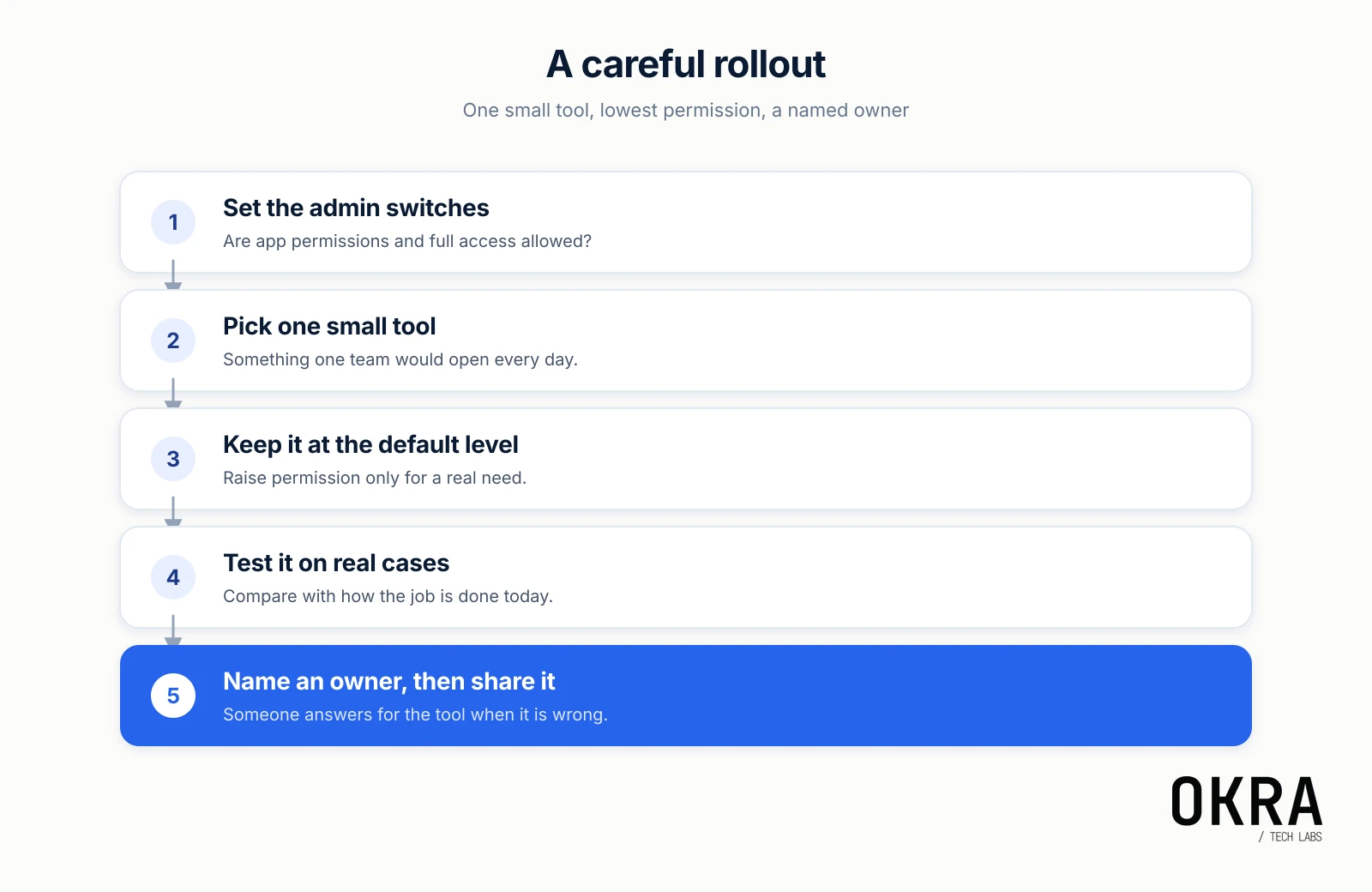
- Set the admin switches. Decide whether app permissions and full access are allowed in your organisation.
- Pick one small tool that one team would open every day.
- Keep it at the default level. Raise permission only when a real need appears.
- Test it on real cases and compare with how the job is done today.
- Name an owner, then share it. Someone must answer for the tool when it is wrong.
If you are building your own AI system
Tools like this are good for small, personal software. They do not replace systems that many people depend on, that must work offline, or that need tests, access control and a record of who changed what. Our guide to testing an AI system before launch lists what a production system needs.
A fair rule: if a tool is used by one team, reads data and can be wrong without harm, an installed artifact may be enough. If it writes to your records, handles money or serves customers, build it properly. Our guide to agents, chatbots and workflow automation can help you decide which kind of system that is.
Questions people ask
What does Install as app do in Claude?
It turns an artifact, a small tool or page that Claude built in a conversation, into an app on a Mac or Windows computer. The app has its own icon and opens in its own window instead of inside Claude. Anthropic announced it on 24 November 2026 as a beta that is rolling out on all plans.
Do we need a developer to use it?
Not to install one. Anthropic says you describe the tool to Claude, try it as an artifact, and choose Install as app from the Share menu, with no packaging, code signing or API key. You still need someone to decide what the tool should do, to test it, and to own it once people rely on it.
Is it safe to give an installed app full access to a computer?
Be careful. By default an installed app can do only what it could do in a browser. Full computer access lets it run programs and read, change or delete files without asking each time, and Anthropic says it does not review apps before they are installed. Give that level only to apps your own people wrote and you have read.
Which organisations cannot use it yet?
According to Anthropic's announcement, HIPAA-ready organisations and hybrid deployments cannot use the feature. On Team plans it is on by default with full access switched off, and on Enterprise plans it stays off until an owner turns it on. It works in Claude for Mac and Windows, and you must be online and signed in to open an app.